Cloud-only dictation with fast, polished auto-cleanup
macOS Windows Cloud only
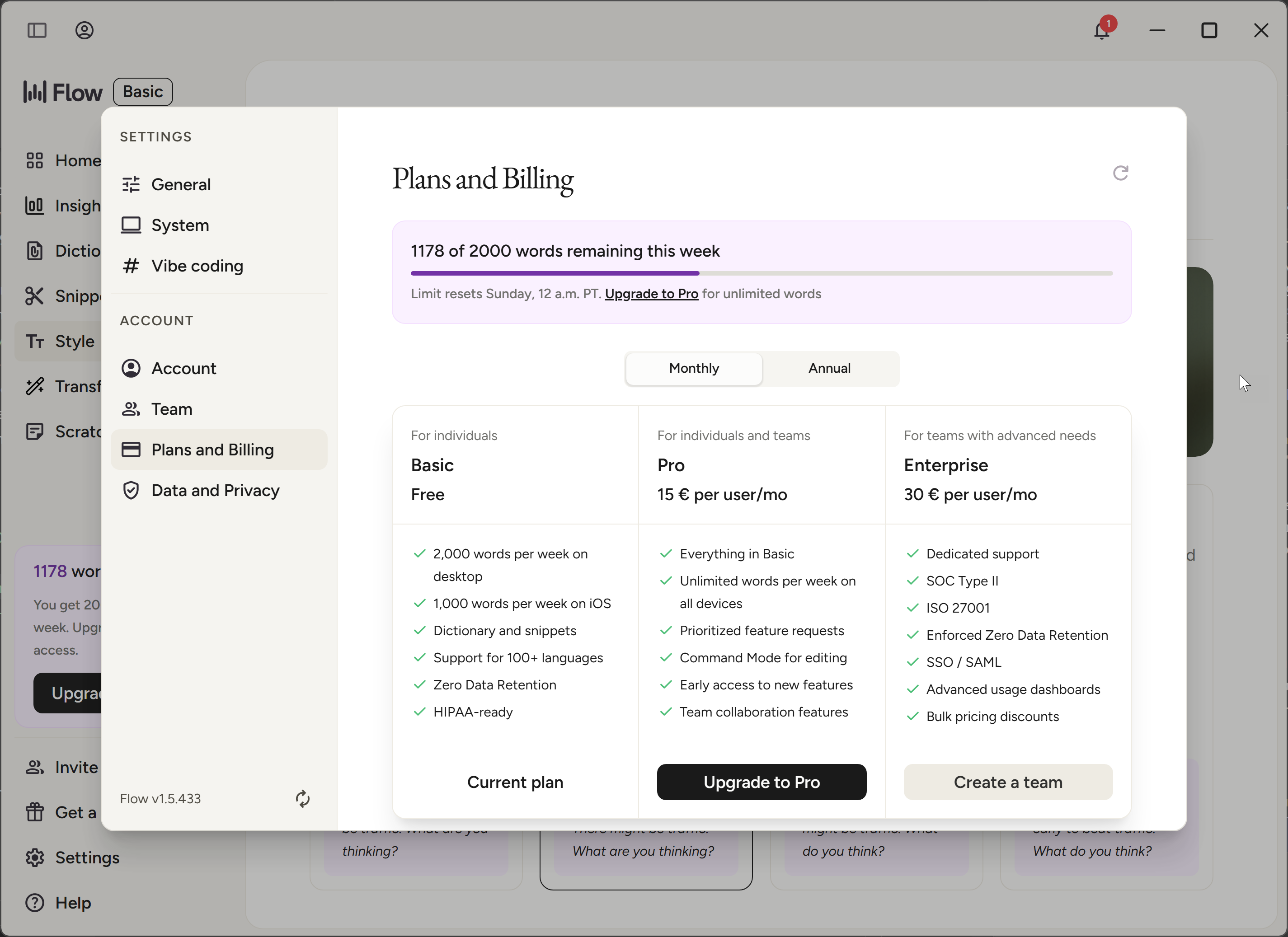
Free tierWhat the free tier includes2,000 words/week (Mac & Windows), 1,000/week on iPhoneCustom dictionary and snippets100+ languagesPrivacy mode with zero data retention
Version 1.5.433 ·
Tested
Wispr Flow is a voice dictation app for macOS and Windows with cloud-based AI transcription.
Priced at $15/month. This independent review covers WER/CER accuracy across 6 test recordings, a privacy analysis, and a UX verdict.
Fast, clean, effortless — as long as you are online and not asking about privacy
Wispr Flow version 1.5.433 scores 5.9/10 overall in Voice-list independent testing (tested 2026-05-27). Standard achieves 3.9% aggregate WER across 6 recordings.
Works well for
Consistently ~1s result, even on noisy café audio — no model choices to make
Auto-cleanup genuinely works: capitalisation, punctuation and ITN land without manual editing
Same quality on free and paid — the free tier is not a downgraded model
Watch out for
Cloud-only: every recording uploaded (~22.8 MB / 2 min), unusable without good internet
No export, no built-in translation, and the text-transformation flow is obscure and hard to discover
Onboarding is long and its final mic test is broken — you cannot complete it cleanly
Best for
People who want polished English dictation out of the box with zero model-picking — there is even a dedicated vibe-coding mode that handles variable names
Not for
Privacy-conscious users and anyone who works offline — there is no local mode at all
Wispr Flow Accuracy & Speed 30%Weight: 30%How much accuracy counts toward the overall score.
Model
Accuracy
Speed
English
Cloud
Standard Only model
Wispr Flow's single cloud model. Auto-cleanup (disfluency removal, capitalisation, punctuation, ITN) is always on and tuned by a Light/Medium/High slider — tested on the default Light setting.
No model picker — one cloud model for everyone, free and paid alike
96.1%
Word accuracy
The share of words the model got right (100% − word error rate). 100% = every word correct.
3.9%WERWord Error Rate
What % of words the model got wrong. 0% = every word correct.
2.4%CERCharacter Error Rate
Same as WER but measured letter-by-letter. Usually lower than WER.
24%PERPunctuation Error Rate
How accurately the model placed commas, periods, and other punctuation.
7/ 10
~1.5s
1–3s range
Post-stop latency
Seconds from pressing Stop to the final text appearing in your active app. Average across all test recordings.
9/ 10
No models match — turn a filter back on.
Wispr Flow for Coding & IT
Standard Cloud
Coding 92.8%16 err / 222w
Conference 94.9%10 err / 214w
Coding
Auto-cleanup: punctuation and capitalisation correct
No hallucinations or dropped segments
"last_seen_at" → "last scene at"
"Tauri" → "Atari"
"whisper.cpp" → "whisper. cpp" (dot split)
alternativewrongextramissing
okay so the deploy pipeline is broken again .let me walk through what we have :the repo is a rust workspace with an atari frontend and an axum backend .cargo.toml is at the root with two members :desktop and server .the postgres migration that landed last tuesday added a new column to the users table called last_scene at type timestamp with time zone ,default now .diesel picked it up fine but sqlx in the server crate started failing the macro expansion at compile time because the offline query metadata json was stale .run cargo sqlx prepare workspace before pushing .ok on the kubernetes side the helm chart for the staging cluster bumped the image tag to v1.4.0-alpha.3 but the deployment yaml still references v1.3.11 .that mismatch is what is throwing the image pullback off .update values.yaml under environments/staging .the github actions workflow is using ubuntu 22.04 runners but rust-toolchain.toml is pinned to 1.83 and the runner stable is 1.79 .so either bump the runner image or pin rustup install to 1.83 explicitly .for the cloudflare worker ,wrangler.toml has the wrong account id after we migrated the team and miniflare is failing the d1 binding lookup .run wrangler login again .finally explain and analyze the sessions token lookup .p95 should stay under 15 ms .if it regresses the missing index on the jsonb metadata column is the prime suspect .
Conference
Handles accented speaker reliably
Zero dropped sentences
ITN active: numbers and dates formatted
"Kubernetes" → "Cubernetes"
"gRPC" → "GRPC" (casing lost)
alternativewrongextramissing
the question i want to address today is whether on-device speech recognition is finally good enough to replace the cloud .the short answer is yes for english at least and the longer answer is the interesting part .when openai released wispr in 2022 ,the smallest models were already competitive with cloud apis for clean audio but they were slow .three years later two things have changed first :the c++ port from georgi gorgonov called wispr.cpp runs the same model significantly faster than the python reference and it runs on a raspberry pi .second nvidia released parakeet tdt in 2025 ,which is between 5 and 10 times faster than wispr on cpu and has similar accuracy for english .so now the question is not can we run speech recognition locally but should we and what do we give up ?the honest answer is that you give up the ability to update the model continuously ,which cloud providers can do every week ,and you give up some accuracy on the long tail of less common languages .what you gain is :privacy by architecture rather than by policy lower latency for short phrases on modern hardware and zero per minute cost at scale for most desktop dictation use cases in 2026 in 2026 that trade-off is the right one .
Wispr Flow for Everyday & Long-form
Standard Cloud
Casual 97.3%4 err / 185w
Long-form 96.9%14 err / 540w
Casual
Auto-cleanup works: punctuation and caps correct
Natural reading — removes "um/uh" cleanly
"re-time" → "retime" (hyphen dropped)
Minor rewording of closing sentence
alternativewrongextramissing
hey ,i wanted to follow up on what we discussed yesterday about the onboarding flow .i think there are three separate problems and we have been treating them as one first :the email verification step has a 48% drop-off rate ,which means almost half of people who sign up never actually finish .that alone is worth looking at before we touch anything else .second the time zone selection screen is buried inside settings and people who skip it end up with notifications at 3 in the morning ,which is the worst possible experience .we need to bring that into the main flow .third the welcome email goes out two hours after sign-up ,which feels kind of random .it should go out either immediately while the user is still excited or strategically the next morning but not at this awkward in-between moment .so my proposal is ,in order of impact ,to fix the email verification first ,then move the time zone picker ,then re-time the welcome email .what do you think ?let me know if you want to grab 15 minutes tomorrow to talk through it .
Long-form
No drift over 4:00 — consistent quality throughout
Perfect ITN: "70%", "$41", "$68", "66%", "50/50" all formatted correctly
Zero hallucinations
"writers" → "riders" (homophone slip)
Dropped "to 41,000" — one figure lost mid-sentence
Auto-cleanup removed several spoken "so"/"and" connectors
alternativewrongextramissing
okay so i want to walk through what we learned this quarter about organic search versus paid acquisition because i think the numbers genuinely changed my mind and i want the whole team aligned before we set the budget for next year .quick context :for the last three years we have been spending roughly 70% of our marketing budget on paid channels :google ads ,a bit of meta ,some linkedin for the enterprise segment .the remaining 30% went into content and seo .and the assumption ,honestly ,was that paid is the reliable engine and seo is a slow nice-to-have thing on the side .turns out that framing was wrong .let me give you the actual numbers :on paid our blended cost per acquisition climbed from $41 in january to $68 by september .that is a 66% increase in 9 months and nothing about our targeting changed .the auction just got more expensive :more competitors bidding on the same keywords plus the platform raising minimum bids .meanwhile our organic traffic went from about 12,000 sessions a month to forty-one thousand and the cost per acquisition on that channel ,if you amortize the content investment ,was around $9 .$9 versus $68 .that is not a small gap .now the honest counterargument is timing .paid converts today : you spend $1,000 on tuesday ,you get leads on tuesday .seo is a delayed engine .the articles we published in february did not really start ranking until may or june so there is a real cash flow difference .if you are a startup that needs pipeline this month ,you cannot just turn off paid and wait two quarters for organic to compound .i get that but here is the thing that surprised me : when we looked at lead quality not just volume ,the organic leads had a 31% higher trial to paid conversion rate .the theory is that someone who finds you by searching for a specific problem is further along in intent than someone who clicks an ad in their feed .they are actively looking .so not only is organic cheaper per lead ,the leads are actually better .what are we doing differently next year ?three things 1 we are flipping the ratio ,moving to roughly 50/50 between paid and organic over the next two quarters ,not all at once ,because we still need the near-term pipeline .second we are doubling the content team from two riders to four and we are focusing on what we call bottom-of-funnel comparison content because that is where the intent and the conversion rate are highest and 3 .we are going to treat paid as an accelerant for content that is already ranking instead of a standalone channel .so when an article hits page one organically ,we put paid behind it to compress the timeline .the goal by the end of next year is to get our blended cost per acquisition back under $30 and to have organic driving more than half of all qualified pipeline .right now it is at about 22% .that is a big gap to close but the trajectory over the last six months tells me it is achievable .anyway that is the short version .we can dig into the channel-level breakdown in a separate session .
Wispr Flow for Numbers & Structured Data
Standard Cloud
Numbers/ITN 100.0%0 err / 40w
Numbers/ITN
Perfect ITN: "$12,400.75", "1-800-555-0123 ext. 479", "ABC-123456" all exact
Date "March 15th, 2026 at 3:30 PM" formatted correctly
alternativewrongextramissing
okay the meeting is on march 15th ,2026 at 3:30 pm pacific time .the proposed budget is $12,400.75 ,which is about 1.6% under the original estimate .phone number for the conference bridge is 1-800-555-0123 extension 479 .order id is abc-123456 .
Wispr Flow: Noise Resistance
Standard Cloud
Noisy Cafe 97.3%4 err / 185w
Noisy Cafe
Identical output to clean version — noise has no effect
"re-time" → "retime" (same minor artefact as clean)
alternativewrongextramissing
hey ,i wanted to follow up on what we discussed yesterday about the onboarding flow .i think there are three separate problems and we have been treating them as one first :the email verification step has a 48% drop-off rate ,which means almost half of people who sign up never actually finish .that alone is worth looking at before we touch anything else .second the time zone selection screen is buried inside settings and people who skip it end up with notifications at 3 in the morning ,which is the worst possible experience .we need to bring that into the main flow .third the welcome email goes out two hours after sign-up ,which feels kind of random .it should go out either immediately while the user is still excited or strategically the next morning but not at this awkward in-between moment .so my proposal is ,in order of impact ,to fix the email verification first ,then move the time zone picker ,then re-time the welcome email .what do you think ?let me know if you want to grab 15 minutes tomorrow to talk through it .
Tested on Windows 11 26H2 · AMD Ryzen AI 9 HX 370 · 32 GB RAM
Wispr Flow UX & Integration 20%Weight: 20%How much UX & integration counts toward the overall score.
Getting started & flow
Onboarding flow
Long onboarding whose final built-in mic test is broken — the result never shows, so you cannot finish it cleanly.
0 / 5
Hotkey customization
Fully customisable, and mouse buttons can be bound as triggers too.
5 / 5
Error messages
Only seen offline — the no-internet error state is clear.
5 / 5
Recording experience
Recording overlay UX
The recording pill is clear and well done.
5 / 5
Stop / cancel UX
Works, but the stop / cancel buttons are small.
4 / 5
Text insertion reliability
Auto-insert works in every app tested.
5 / 5
Auto-insert vs clipboard
Always auto-inserts — no toggle. You can add a hotkey to re-insert the last text, but there is no clipboard mode.
2 / 5
Managing your work
Recording history
A history list exists on the home screen, but there is no search and no export.
2 / 5
Mode / model switching
A hotkey cycles modes, but it is never clear which mode is currently active.
2 / 5
Idle resource use
~450 MB RAM · 0.3% CPU at rest (cloud).
1 / 5
Wispr Flow Features 20%Weight: 20%How much features count toward the overall score.
Text processing
AI post-processing
Cloud LLM rewrite — but you must select already-typed text and trigger a separate "transformation" hotkey; the flow is hard to discover.
Custom vocabulary / dictionary
Per-word auto-replace before insertion.
Text snippets / expansion
Output & extras
Music auto-mute
Translation mode
No built-in translation mode.
Ask / Q&A mode
No Ask / Q&A LLM mode.
File transcription
Export (txt / srt / json)
No txt / srt / json export, and history cannot be bulk-exported.
Voice commands
Local recognition
Offline / local inference
Cloud-only. Nothing works without internet.
Multiple model options
A single cloud model. Nothing to pick — which is also part of the appeal.
Wispr Flow Privacy 15%Weight: 15%How much privacy counts toward the overall score.
Wispr Flow streams audio to inference.wisprflow.com on every recording — upload begins while you are still speaking, before you press Stop. Beyond audio: By default collects audio, transcripts and your edits; Privacy Mode is locked behind the paid plan. Also sends Sentry crash data and PostHog product analytics.
Recording is streamed to the server while you talk — if you cancel, it has already left your device.
Account required
You must create an account (email) to use the app at all — your dictation is tied to an identity.
Sends more than audio
By default collects audio, transcripts and your edits; Privacy Mode is locked behind the paid plan. Also sends Sentry crash data and PostHog product analytics.
Opt out of training on your data — paid plan only
You can opt out of training — the toggle lives on the paid plan, so free / trial recordings may still be used.
Disable analytics & tracking
Analytics and tracking cannot be fully disabled (e.g. Google Analytics, ad attribution).
Turn off history storage
You can set the app to never store your transcription history.
From the privacy policy
not scored
Privacy policy: third-party LLM data is never used to train those services and is deleted after 30 days.
Uses cookies and Google Analytics (opt-out available for analytics) and tracks ad attribution; shares data with advertising partners for tailored ads.
Optional "Context Awareness" gathers content from your other apps; pseudonymised text/corrections are collected with consent for model improvement.
Pricing
Trial: 14-day Pro trial, no credit card required
Free $0 No credit card
2,000 words/week (Mac & Windows), 1,000/week on iPhone
Accuracy scores use WER (Word Error Rate) computed against multi-reference ground truth
with {a|b} alternates for valid transcription variants (e.g. 48% and
forty-eight percent are both accepted). Audio delivered via virtual cable from
ElevenLabs TTS. Single test session on 2026-05-27.